100% local in your browser

PDF work,
that stays with you.

Merge, split, organize, fill, and sign — without uploads, without an account, and without leaving traces on third-party servers.
No uploads No account Open Source
blattwerk / local ready offline
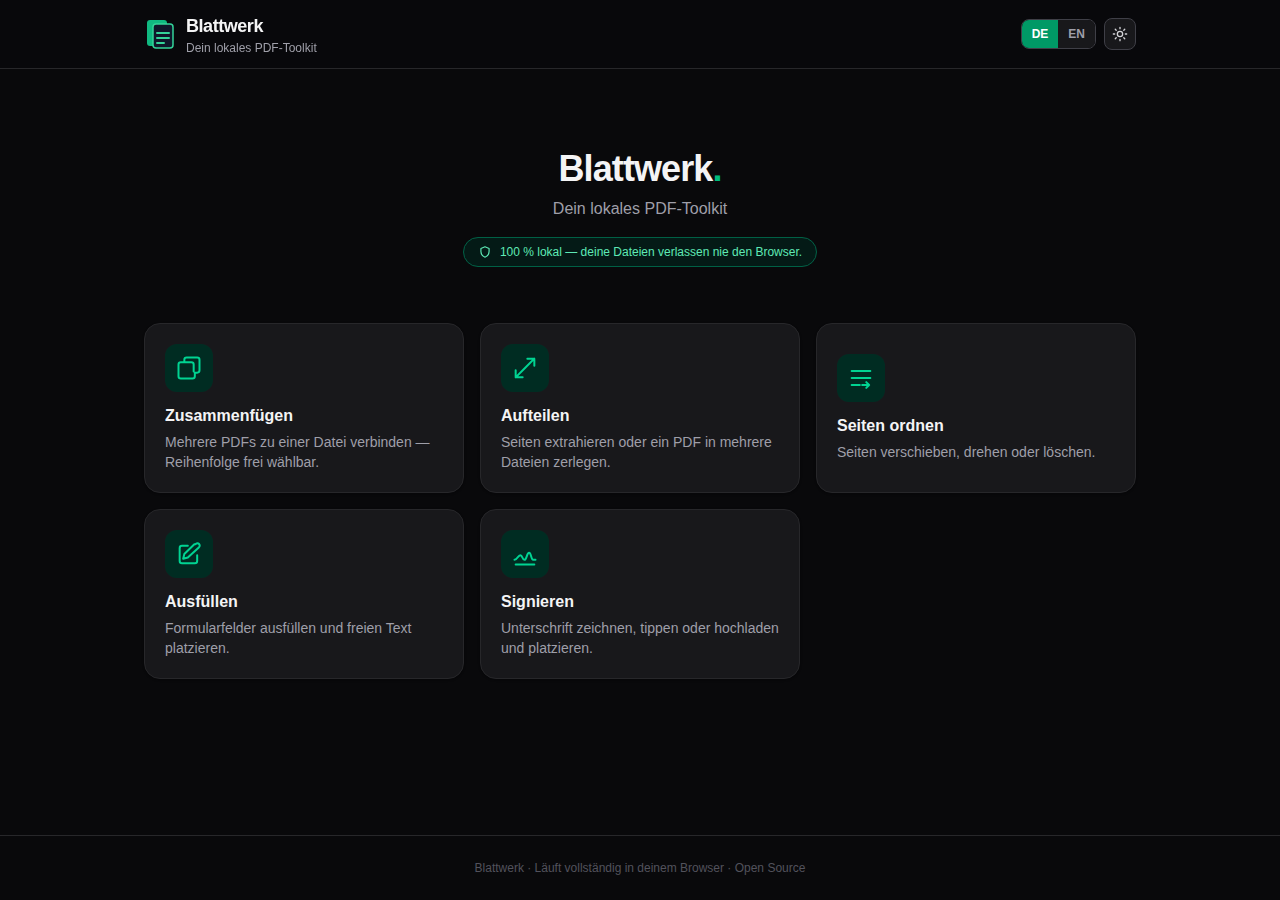
The Blattwerk home screen with five local PDF tools
Your filesnever leave the browser

5PDF tools

0File uploads

EN / DEBilingual

MITOpen Source

01 — TOOLS

Everything your PDF needs.
Nothing that gives it away.

Five focused tools instead of an overloaded suite. Pick a task and get started.

01 / BLATTWERKPDF

Merge

Drag your PDFs into the right order and combine them directly in the browser — without uploading anything.

Drag & Drop
02 — PRIVACY

It stays.
Right. Here.

Blattwerk processes every document entirely on your device. No file, form value, or signature is ever transmitted.

01Browser, not serverProcessing runs entirely client-side.02Works offlineOnce loaded, the tools remain available.03No hidden analyticsNo tracking and no telemetry.
03 — THAT SIMPLE

From document to result
in three quiet steps.

01
PDF↑

Choose a tool

Open exactly the function you need right now.

02
↔

Edit locally

Reorder, fill, or sign directly in your browser.

03
PDF↓

Save the result

Download the finished document back to your device.

04 — THE INTERFACE

Clear enough
to start immediately.

Dark or light, English or German: Blattwerk keeps the focus on the document — not on the interface.

  • Live thumbnails for every page
  • Drag and drop instead of long dialogs
  • Correct rendering of rotated pages
Try the interface
BlattwerkDE   EN
Blattwerk in its dark default view
01

Home / Dark mode

Local session
05 — OPEN SOURCE

Built in the open.
Easy to verify.

Blattwerk is licensed under MIT. You can read the code, run it locally, modify it, or build it as a portable Windows app.

ReactVitepdf-libpdf.jsTauri
TERMINAL / CLONEMIT
$ git clone https://github.com/Mateodevv/Blattwerk.git
Open repository ↗
YOUR PDFS. YOUR BROWSER. YOUR BUSINESS.

Ready for fewer detours?

Open Blattwerk and handle your next PDF exactly where it belongs: on your device.

Open Blattwerk now